
If you have ever wondered why some synth patches sound alive, full of harmonic complexity, warmth and grit, while others sound thin and sterile, the answer often comes down to one frequently misunderstood module. The waveshaper.
In this guide we will break down what a waveshaper actually does, why we built one into the Mayer EMI MD850 Vibes, and how to use the SHAPER module to design patches that cut through any mix.
A waveshaper is a non-linear signal processor that reshapes the actual shape of an incoming waveform. It maps every input sample to a new output value through a mathematical curve called a transfer function.
To make that concrete, think of a normal volume control. That is a linear process. Double the input, you get double the output. A waveshaper is non-linear. Quiet parts of the signal might pass through almost untouched, while louder parts get bent, squashed, folded or clipped. The result is the creation of new harmonics that were not in the original signal at all.
This is the key idea. A filter takes harmonics away. A waveshaper adds new ones.
These three are often confused, so we want to draw clear lines.
A filter is a linear process. It shapes the frequency content that is already in the signal, attenuating or boosting components without creating new ones. Low-pass, high-pass, band-pass.
A distortion or saturation circuit is one kind of waveshaping. Diode clipping in a guitar pedal, tube saturation in a vintage amp, and analog fuzz circuits are all real-world waveshapers.
A waveshaper inside a synth is a flexible, mathematically defined transfer function. It can model distortion, saturation, wavefolding, bit crushing and much stranger behaviour, all from one module.
Pure oscillator waveforms, sines, saws, squares, sound a bit static on their own. Acoustic instruments are interesting because they are non-linear. A string excites a wooden body. The body resonates. The air column saturates. Overtones bloom and decay in complex ways.
Waveshapers give us a tool to put that kind of non-linear behaviour back into otherwise clean digital signals. They are how you get warm tube-like fatness from a clinical wavetable, FM-style bell tones from a simple sine, aggressive modern lead sounds with biting upper harmonics, and lo-fi crushed textures that sit nicely in hip-hop and electronic productions.
Historically waveshaping has roots in Casio’s CZ series of phase distortion synths in the 1980s, the diode-based saturation circuits of analog classics like the Moog Ladder, and modern soft-synth implementations in Serum, Phase Plant and Vital. With the MD850 Vibes we wanted to bring that lineage into a high-end, 24-voice stereo hardware platform.
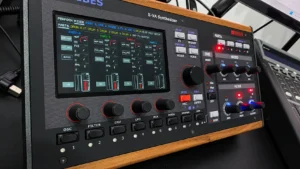
The MD850 Vibes is built around handcrafted Austrian engineering and a deep, surgical approach to sound design. The SHAPER module is one of the most powerful tools we put into it. It can do everything from gentle analog warmth to harsh, aliased digital chaos.
Crucially the Vibes shaper is not just a master effect. We placed it inside the voice architecture, which means you can insert it at different points in the signal path and modulate it per voice for expressive, dynamic results. A master effect treats the whole sound the same way. A per-voice shaper reacts to each note differently, which is closer to how an acoustic instrument behaves.
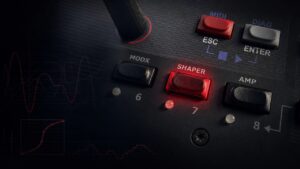
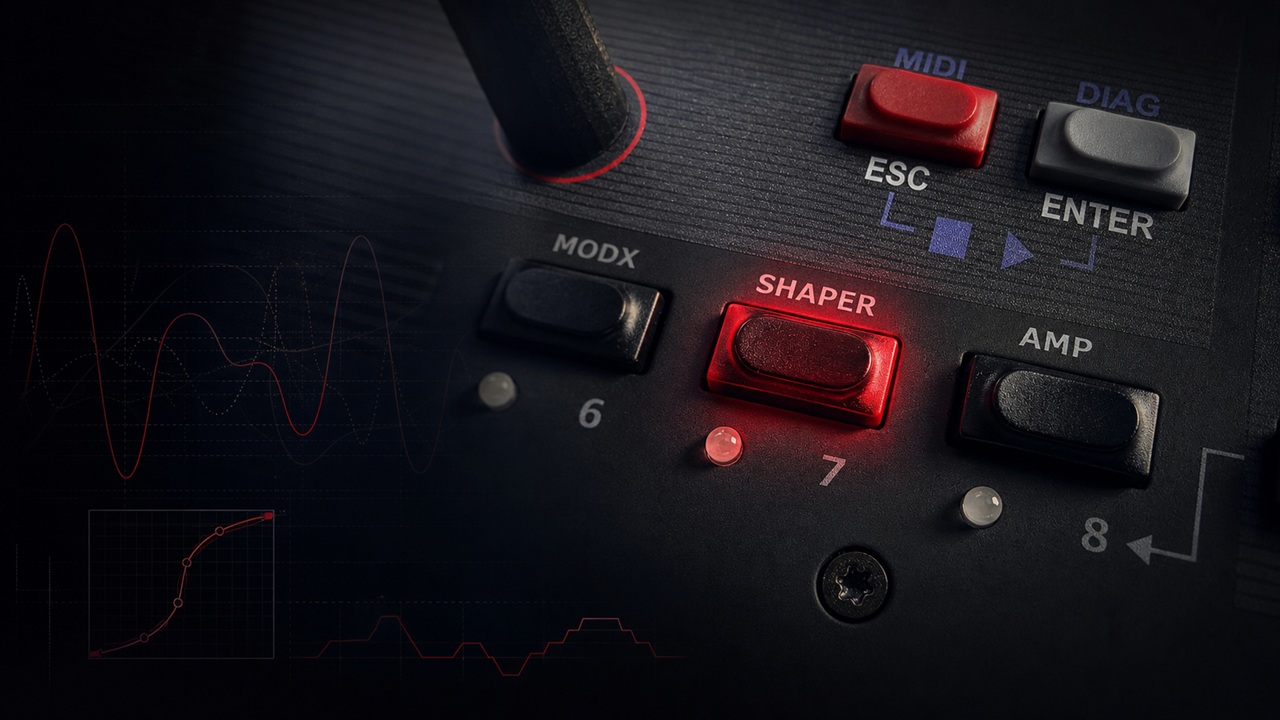
To master the shaper, you need to understand its four primary controls. You will find them in the Voice Navigation Section under Button 7.
TYPE selects the mathematical algorithm that defines how the waveform gets reshaped. The MD850 offers several distinct flavours, each with its own harmonic character.
TANH. A hyperbolic tangent curve that produces classic tube-amp style saturation. Smooth, musical, forgiving. We reach for this when we want analog warmth on wavetables and virtual analog patches.
HARD. A brick-wall hard clipper. Generates aggressive higher harmonics. Excellent for cutting modern lead sounds and edgy basses.
ARC and EXP. Two softer clipping curves that sit between TANH and HARD. They give you musical saturation with presence, without becoming abrasive.
SIN. Folds the signal through a sine-based transfer function, which increases the outgoing frequency content. The result often resembles FM (Frequency Modulation) synthesis, with metallic, bell-like overtones from very simple input material.
CRUSHER. A bit crusher that introduces quantization steps. Perfect for lo-fi textures, 8-bit aesthetics and degraded digital character.
The CURVE parameter sets the degree of change applied by the selected algorithm. Think of it as the depth or aggression control. Low values give you a hint of colour. High values push the signal into full transformation.
PRE-GAIN changes the working range of the shaper by boosting the signal before it hits the transfer function. This is one of the most important controls on the entire module.
Different transfer functions respond dramatically to how hard you push them. A TANH curve with low Pre-Gain sounds warm and subtle. The same TANH with high Pre-Gain becomes a screaming overdrive. We always recommend sweeping Pre-Gain to find the sweet spot for each patch. There is no universal correct setting.
Unlike most synth saturators, we let you choose exactly where in the voice signal path the shaper gets inserted. Your options:
After OSC1, which lets you shape one oscillator independently before it mixes with anything else.
After OSC2, which gives you the same flexibility on the second oscillator.
After the MIX, which applies the shaper to the combined output of OSC1, OSC2 and the NOISE generator.
This routing flexibility is what lets you build patches where one oscillator stays clean and the other screams, or where the entire voice gets glued together by a single saturation curve.
Here is a tip that is genuinely buried in the Vibes architecture. The shaper interacts with the unison engine in a powerful way.
With UNISON 1, the oscillator signal level is constant, so the shaper produces a static, predictable result. The patch sounds the same every cycle.
With UNISON 2 or higher, the stacked oscillators phase against each other and their summed output level varies continuously. When those varying levels hit the shaper’s non-linear curve, the result is complex, moving harmonic texture that breathes and evolves.
This is the single fastest way to take a flat patch and make it sound three-dimensional. Try Unison 4 with a TANH shaper after the MIX for instantly lush, animated leads. You will hear the difference immediately.
The shaper is not a set-and-forget module. Through the Modulation Matrix (MODX) you can assign envelopes, LFOs, velocity, aftertouch or any other modulation source to two key destinations.
SHAPER.CM modulates the shaper curve, which controls the intensity.
SHAPER.PGM modulates the pre-gain.
A practical example: route a slow LFO to SHAPER.PGM on a pad sound. The pad will appear to growl or saturate rhythmically as the LFO pushes the signal harder and softer into the transfer function. It adds enormous life to evolving textures.
Velocity to Pre-Gain is another classic move. Play softly and the patch sounds clean. Play hard and it bites. That is real expressive dynamics, built right into the voice itself, not added on as an afterthought.
The MD850 oscillators are designed to be aliasing-free, but we did not extend that to the shaper on purpose. The shaper can generate aliasing artifacts, especially at high Pre-Gain values with aggressive transfer functions.
In most digital synths aliasing is treated as the enemy. In the Vibes we leave it as a creative weapon. Used intentionally, those artifacts produce very harsh and distorted sounds that occupy frequency spaces standard synthesis cannot reach. Think industrial leads, glitched basses, modern hyperpop textures.
Here are three starting points to explore the shaper for yourself.
Fat Analog Lead. Wavetable on OSC1, saw on OSC2, slight detune. Insert TANH after the MIX with Pre-Gain at medium and Curve moderate. Add Unison 4. Instant analog fatness.
FM Bell Pad. Sine on OSC1 with a low Curve on a SIN-type shaper inserted after OSC1. Modulate SHAPER.CM with a slow envelope. The patch will bloom from clean tone into metallic shimmer over the course of each note.
Lo-Fi Crushed Bass. Single saw on OSC1. Insert CRUSHER after OSC1, then a low-pass filter after that. Modulate SHAPER.CM with velocity. Aggressive playing crushes harder. Light playing stays musical.
What is the difference between a waveshaper and a distortion pedal? A guitar distortion pedal is a waveshaper. It applies a non-linear transfer function, usually diode clipping, to the input signal. A synth waveshaper is the same principle, but exposed as a flexible module with multiple mathematical curves and per-voice modulation.
Does waveshaping cause aliasing? Yes. Waveshaping can produce harmonics above the Nyquist frequency, which fold back as aliasing. Many digital synths use oversampling to reduce this. In the MD850 we leave it as a creative choice, so you can use the aliasing intentionally for harsher textures.
Where should I place the shaper in the signal path? That depends on the patch. Place it after one oscillator to shape that oscillator independently. Place it after the MIX to glue everything together with one unified saturation character. Both are valid. We recommend experimenting with the INSERT parameter on every patch you build.
Can the shaper replace a filter? No. They do opposite things. A filter removes harmonics. A waveshaper adds them. Most great patches use both. Shape first to add harmonics, then filter to sculpt them.
The waveshaper in the Mayer EMI MD850 Vibes is the bridge between smooth virtual analog synthesis and aggressive modern sound design. By strategically choosing your TYPE, finding the sweet spot with PRE-GAIN and exploiting the interaction between the shaper and UNISON, you can move far beyond standard waveforms into a world of bespoke harmonic textures.
Whether you are after subtle warmth, FM-style bells or screaming digital grit, the shaper is one of the most expressive tools the MD850 has to offer.
Ready to experiment? Open the SHAPER page on your Vibes today. Load a detuned wavetable into OSC1, insert a TANH curve, push the Pre-Gain, and listen to the fatness emerge.