Recommended Controller

Vibes + Akai Fire. The Setup We Didn’t Plan But Can’t Stop Using.

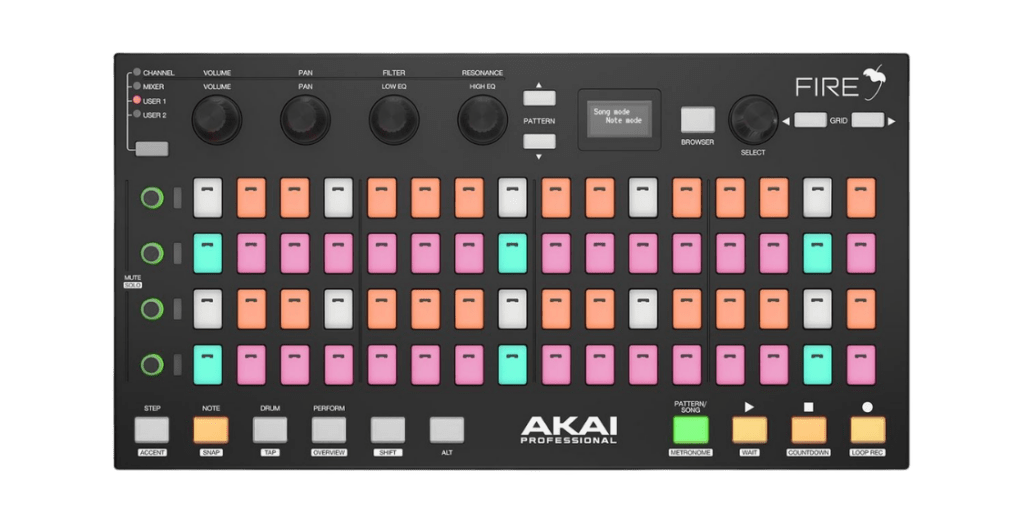
We tested every pad controller on the market. Only one has the layout that actually matches the Vibes architecture. The Akai Fire’s 4×16 grid maps directly to four synth parts with 16 steps each — no workarounds, no compromises, no remapping.
⚠️   Full transparency: The Akai Fire has been discontinued by Akai. It’s only available used — typically around €80–120 on eBay, Reverb, or Kleinanzeigen. We wrestled with whether to recommend a discontinued product. But after using it, we couldn’t justify withholding this workflow from our users. For €100 on the used market, the Vibes becomes a fundamentally different instrument.
Why This Controller

4 Rows × 16 Columns. That’s the Entire Point.

The Vibes is a 4-part multitimbral synthesizer with a step sequencer that runs 16 steps per page. The Akai Fire has a 4×16 RGB pad grid. The match is not a coincidence — it’s the only controller on the market with this exact layout.
Every other popular pad controller uses an 8×8 grid: Novation Launchpad, Akai APC Mini, Ableton Push. An 8×8 grid is great for clip launching — but for step-sequencing four parts simultaneously, you either see half the steps or half the parts. The Fire shows you everything at once.

Akai Fire

4×16 RGB Grid
• 4 rows = 4 synth parts
• 16 columns = 16 steps
• See all parts + all steps simultaneously
• Velocity-sensitive pads with RGB feedback
• OLED display + 4 touch encoders
• USB bus-powered (works with Vibes USB host)

Launchpad / APC Mini

8×8 Grid
• 8 rows × 8 columns = 64 pads
• Good for clip launching (8 tracks × 8 clips)
• For step sequencing: only 8 steps visible at once
• Need to page through steps constantly
• No OLED display, no encoders
• Still supported — great for clip launching
What Changes

What the Fire Unlocks on the Vibes

The Vibes touchscreen is excellent for sound design. But for live performance and step sequencing, physical pads with immediate visual feedback change everything. Here’s what the Fire adds to the Vibes workflow:

Step Sequencing

Program all four parts simultaneously on the 4×16 grid. Each row is a part, each column is a step. Velocity is visible through pad brightness. Toggle steps with one tap — no menu diving, no touchscreen navigation.

Clip Launching

Trigger clips across all tracks from the pad grid. Switch between patterns instantly during a performance. The RGB feedback shows clip status — playing, queued, or empty — at a glance.

Hands-On Mixing

The Fire’s four touch-capacitive encoders map to Vibes parameters. Volume, pan, filter cutoff, effect sends — control the mix without leaving the pads. Four encoder banks give you 16 parameters total.

Drum Programming

The Fire’s 4×16 grid is ideal for programming the Vibes drum machine. 14 instruments, each with its own step pattern. See and edit velocity per step directly on the pads.

Zero Configuration

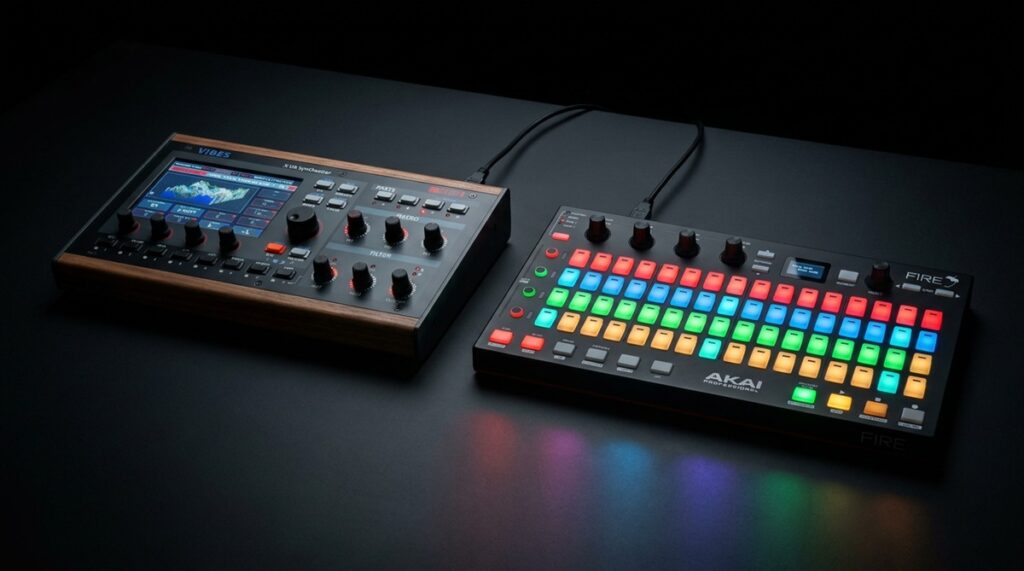
Plug the Fire into any of the three Vibes USB host ports. No drivers, no MIDI mapping, no computer needed. The Vibes recognizes the Fire automatically and assigns the grid. It just works.
The Honest Part

Yes, It’s Discontinued. Here’s Why We Recommend It Anyway.

Akai built the Fire as a dedicated FL Studio controller. When the FL Studio partnership ended, so did production. It’s no longer available new. That’s not ideal — and we’re not going to pretend it is.
But here’s the reality: the Akai Fire’s 4×16 layout is unique. No current controller replicates it. We looked at everything — Novation, Akai’s own APC line, Arturia, Keith McMillen. Nothing else gives you four rows of sixteen velocity-sensitive RGB pads with encoders and a display.
The Fire was widely sold and is readily available used. Prices on eBay and Reverb typically range from €80 to €120 — for a controller that transforms your Vibes into a hands-on performance instrument. We believe that’s worth mentioning.

Where to Find One

Typical used price: €80–120

• eBay / eBay Kleinanzeigen
• Reverb.com
• Facebook Marketplace
• Local music gear stores

Look for: “Akai Fire” or “Akai Fire FL Studio Controller”. Both the original version and the “No Software” version work identically with the Vibes.
Setup

Getting Started: Vibes + Fire

Setup takes about 30 seconds. No software, no drivers, no computer.

1. Connect

Plug the Fire’s USB cable into any of the three Vibes USB-A host ports. The Fire powers on automatically — it’s bus-powered, no separate power supply needed.

2. Assign

The Vibes detects the Fire as a USB MIDI controller. Assign it to the sequencer board via the MIDI page on the Vibes touchscreen. Select the Fire from the device list and assign it to a board.

3. Play

The 4×16 grid maps to your four parts. Start programming steps, launching clips, or playing drums. The RGB pads reflect the Vibes state in real time.
The Full Setup

Vibes + Fire + Keyboard = Complete Performance Rig

The Vibes has three USB host ports. One for the Fire (step sequencing + clip launching), one for a MIDI keyboard (playing + live transposing), and one free for a drum pad, expression controller, or USB hub.
Total cost for the controller setup: around €100 used for the Fire, plus whatever keyboard you already own. No computer, no DAW, no cables beyond USB.
€100
Akai Fire (used)
€0
No drivers, no software
30 sec
Plug in, assign, play
Get Started

Ready to Unlock the Full Vibes Workflow?

Pick up a used Akai Fire, plug it into your Vibes, and experience what step sequencing on four parts feels like when you can see and touch every step.