
Bring the whole
setup together.
Effects and mixing on Vibes MD850.
Give each part its own character. Put the drums in the same space. Bring your analog synths into the mix and through the effects, with their notes played from the Vibes Clip Launcher.
Build a sound, then make it work with everything around it.
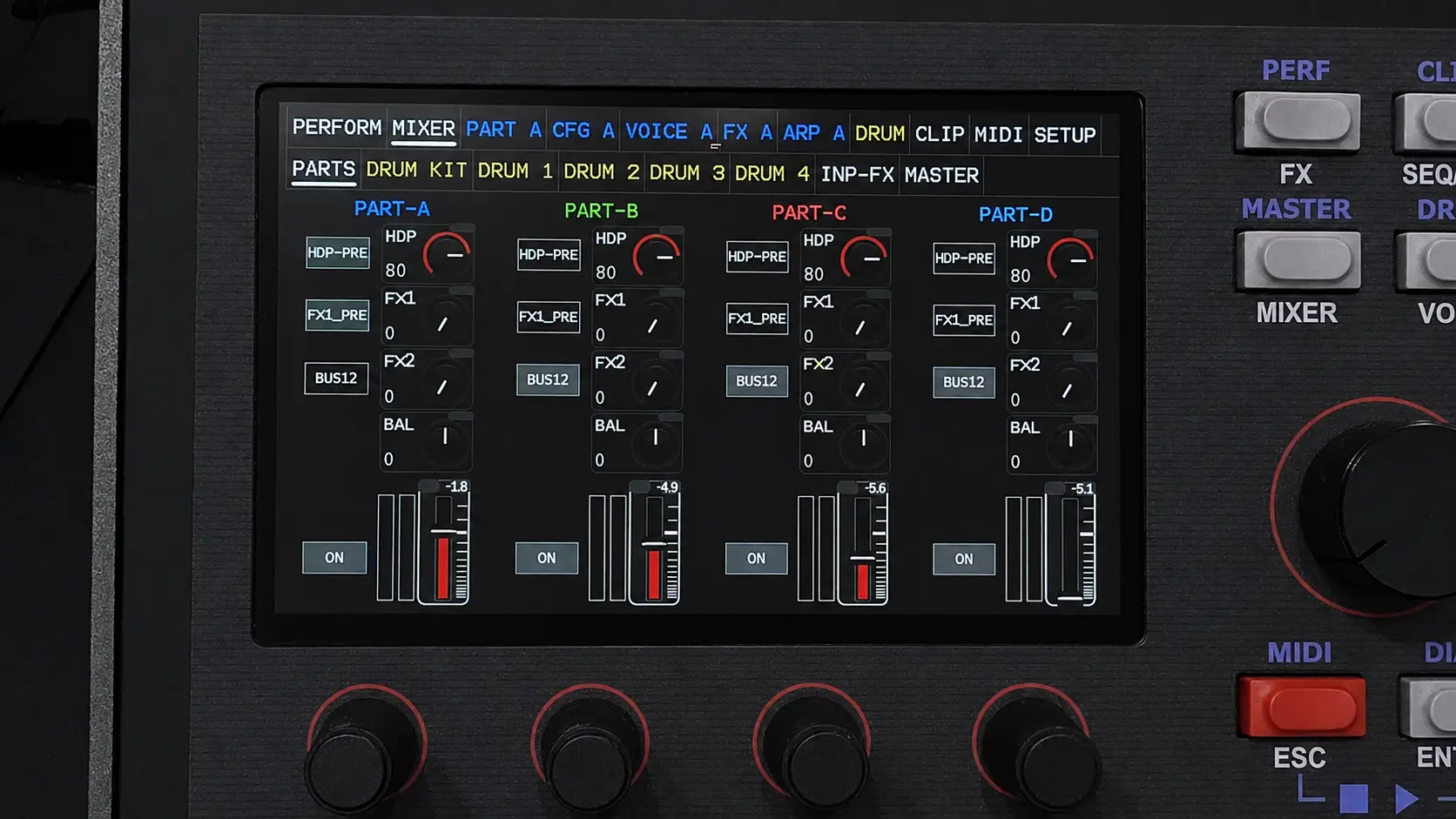
Levels, balance and effect sends on the Vibes touchscreen.
Part effects. Mixer sends. One stereo mix.
Hear the parts.
Shape the balance.
The 19-channel digital mixer brings four synth parts, 14 drum instruments and the external stereo input into one workspace. Set their levels and stereo position, control their effect sends and route the result to the main and headphone outputs.
Adjust a single hi-hat without moving the whole drum kit. Add a little more effect to a lead without washing out the bass. Use the FX return levels to place the shared effects in the mix.
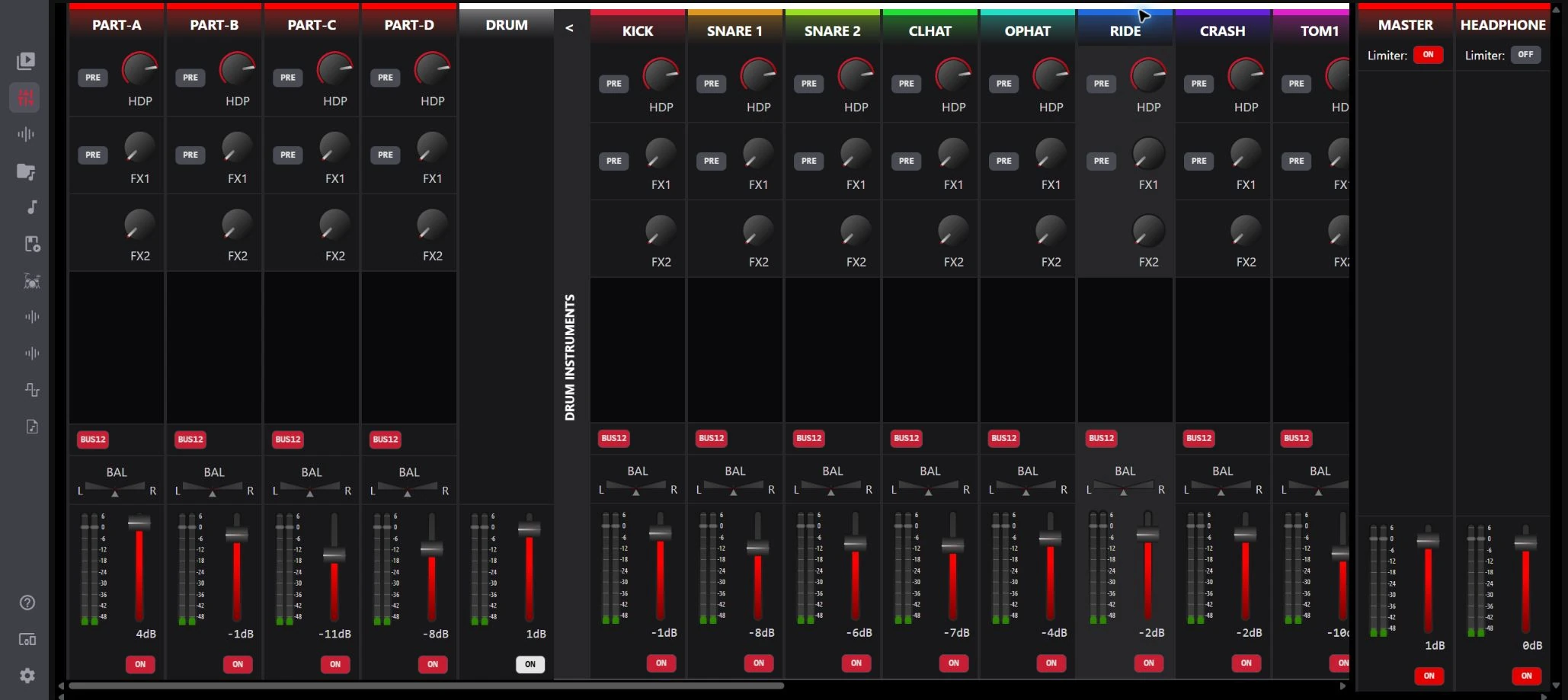
The mixer in VibesConnect, with individual drum channels expanded. Screenshot from XVAOS 5.0 beta; the interface may differ with firmware.
Choose what follows the fader.
With FX1 PRE enabled, the send is taken before the channel level control. Turn it off and the send follows that level. The headphone PRE control gives you the corresponding choice for headphone monitoring.
Use the screen that suits the session.
Work on the instrument, or open VibesConnect when you want a wider view of the mixer. The audio processing remains in Vibes.
A chain for each part.
A space to share.
Four part FX stacks plus two mixer FX stacks. FX A, B, C and D process their respective synth parts. FX1 and FX2 receive sends from the mixer, so parts, individual drums and external inputs can share effects.
Each stack offers up to 10 slots, processed in order. Choose the effects and their order to suit the sound: a chorus before a delay behaves differently from a chorus acting on the repeats.
Use the part chain for the character of a patch. Use the mixer sends to place several sounds in a common space, with a separate send amount for each source.
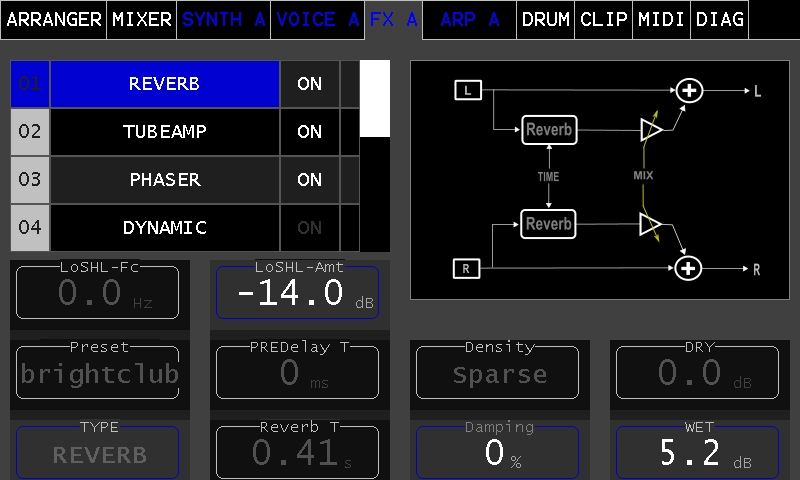
The effects editor with an example chain. Interface appearance varies with firmware; tap to enlarge.
A little depth.
Or a different character.
Depth & rhythm
Reverb, stereo delay and modulated delay give a phrase space or a rhythmic answer. Try a shared reverb with different send amounts, so the lead sits closer and the pad falls further back.
Movement & colour
Chorus and phaser add motion around a sustained sound. Keep the amount gentle for a little thickness, or make the movement part of the phrase.
Tone & control
Parametric EQ, filter, tube-amp and dynamics processing let you shape how sounds fit together. Give a lead an edge or leave more room around the bass.
Your analog synths.
Vibes effects.
Connect two mono synth outputs to the left and right channels of the IN-L/R stereo input, using a 6.35 mm TRS-to-dual-mono breakout cable. Switch the mixer input to mono mode and the stereo pair becomes two independently controlled inputs, each with its own level, pan and effect sends.
Keep a bass focused in the centre. Give the second synth a stereo delay or reverb. Mix both with the four Vibes parts and drums, then take the complete mix from the main stereo output.
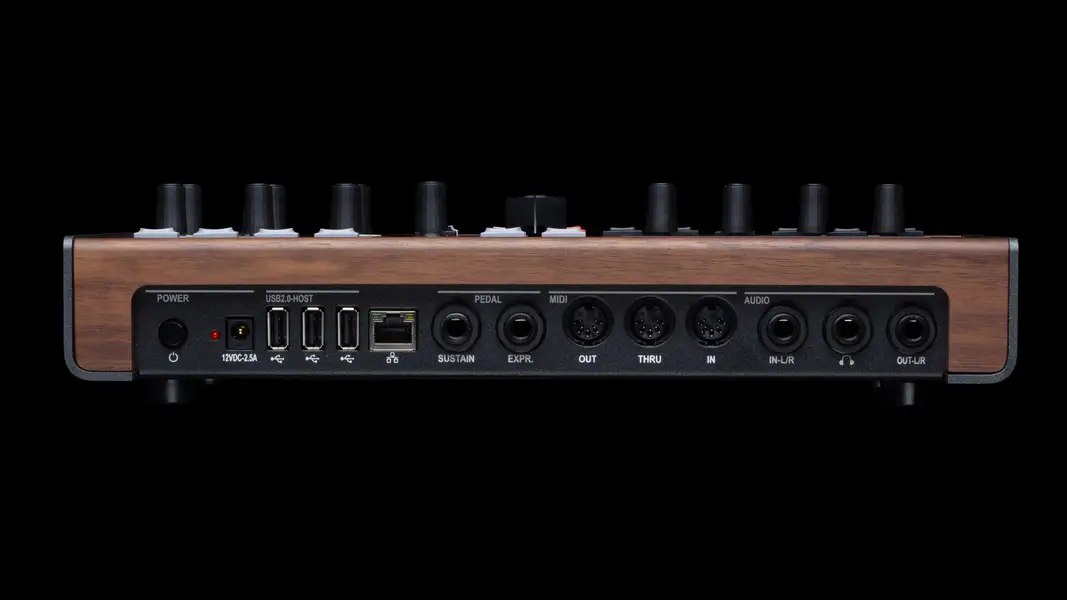
Stereo in. Stereo out. IN-L/R and OUT-L/R each use a single 6.35 mm stereo TRS socket. One stereo breakout adapter is included in the box.
Audio into Vibes
- Two mono synthsSynth 1 feeds the left input channel.Synth 2 feeds the right input channel.Connect both through a stereo TRS-to-dual-mono breakout cable.
- Split input + mixer FXSet INPUT 1/2 to mono mode.Adjust each input and send to FX1 and/or FX2.
- One stereo mixBalance the dry signals and FX returns alongside Vibes.MAIN OUT L/R to your listening setup.
MIDI out to both synths
- Clip Launcher ET-1 / ET-2ET-1 sends on MIDI channel 1.ET-2 sends on MIDI channel 2.
- Vibes DIN MIDI OutA MIDI Thru box distributes this output to both synths.
- Two MIDI destinationsSynth 1 receives channel 1.Synth 2 receives channel 2.
Example setup: channels 1 and 2 are choices, not fixed assignments. The synths need MIDI input for clip control. The audio cables carry their sound; MIDI carries the notes and performance commands.
Play their notes.
Mix their sound.
The Clip Launcher’s ET-1 and ET-2 tracks send MIDI to two external devices through DIN MIDI Out. Prepare a bass phrase for one synth and a melody for the other, then launch their clips alongside the Vibes parts and drums.
Their audio returns through the left and right channels of the IN-L/R stereo input. Their MIDI notes come from the external tracks. That lets Vibes handle the arrangement, effects and balance of this compact setup.
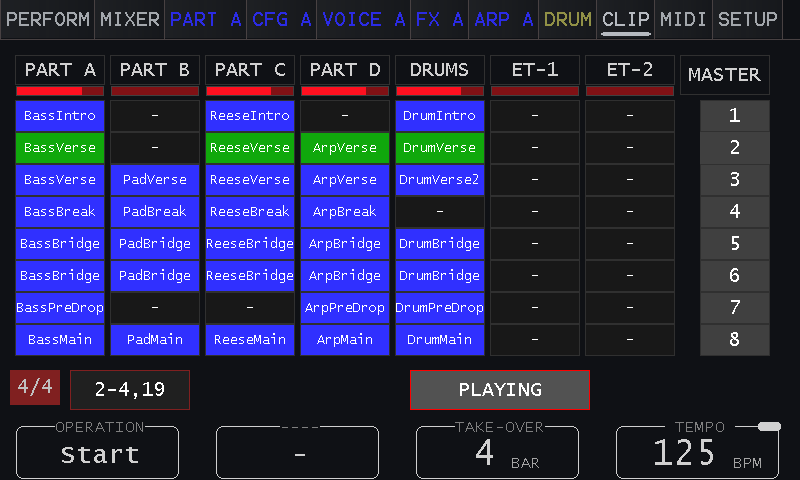
ET-1 and ET-2 are the two external MIDI tracks. The clips shown belong to an example performance.
Two synths.
One place to bring them in.
Connect the audio.
Use a 6.35 mm stereo TRS-to-dual-mono breakout cable to connect both synth outputs to the single IN-L/R socket. Each synth feeds one input channel. On the mixer’s INPUT 1/2 channel, select mono mode. Set the two input levels and pan positions, then raise their FX1/FX2 sends as needed.
Connect MIDI to both.
Connect Vibes DIN MIDI Out to a MIDI Thru box, then run an output to each synth’s MIDI In. Alternatively, use the first synth’s MIDI Thru to reach the second, if it has a suitable Thru connection. A basic passive Y cable is not a MIDI distributor.
Match the MIDI channels.
Assign ET-1 and ET-2 to the receiving channels of the two synths. For example, use channel 1 for the bass synth and channel 2 for the lead. Create or load clips on those tracks, then balance their returning audio in the Vibes mixer.
In this setup, the external audio uses the mixer FX1/FX2 sends. FX A–D remain the dedicated chains for the internal synth parts. MIDI sequencing requires compatible MIDI-equipped synths; CV-only instruments need a suitable MIDI-to-CV interface.
A few setup details.
Yes. Connect its left and right audio channels to the IN-L/R stereo socket with the appropriate stereo cable or breakout cable, and keep INPUT 1/2 in stereo mode. Use mono mode when the two input channels carry separate instruments.
In mono mode, each input channel has its own pan control. Connecting a synth to the left channel does not force it to stay on that side of the final mix.
Yes. Set independent sends for the two mono inputs. For example, send one primarily to FX1 and the other to FX2, with different effects loaded in the two stacks. Other mixer channels can also send to these stacks, so they are shared effects buses.
No. MIDI sends performance information to the synths. Their sound reaches Vibes through the separate audio cables. The external tracks sequence MIDI; they are not audio-recording tracks.
For the detailed controls, see Mixer, Split Input Stereo Channel, FX and Clip Launcher in the Vibes manuals. Explore the stereo architecture to see how the internal voices reach the effects.
Make room for
the rest of your gear.
Four synth parts and drums inside. Two mono instruments coming in. Effects, mixing and clip control to make them work together. Discover Vibes MD850 and hear what it can bring to your setup.