
Your wavetables.
Your samples.
Take the wavetables and samples you love into a hardware instrument built to be played.
Bring Serum-compatible wavetables and SFZ multisamples into Vibes MD850 through VibesConnect. Combine them with its synthesis engines, shape them in full stereo and take the controls in your hands.
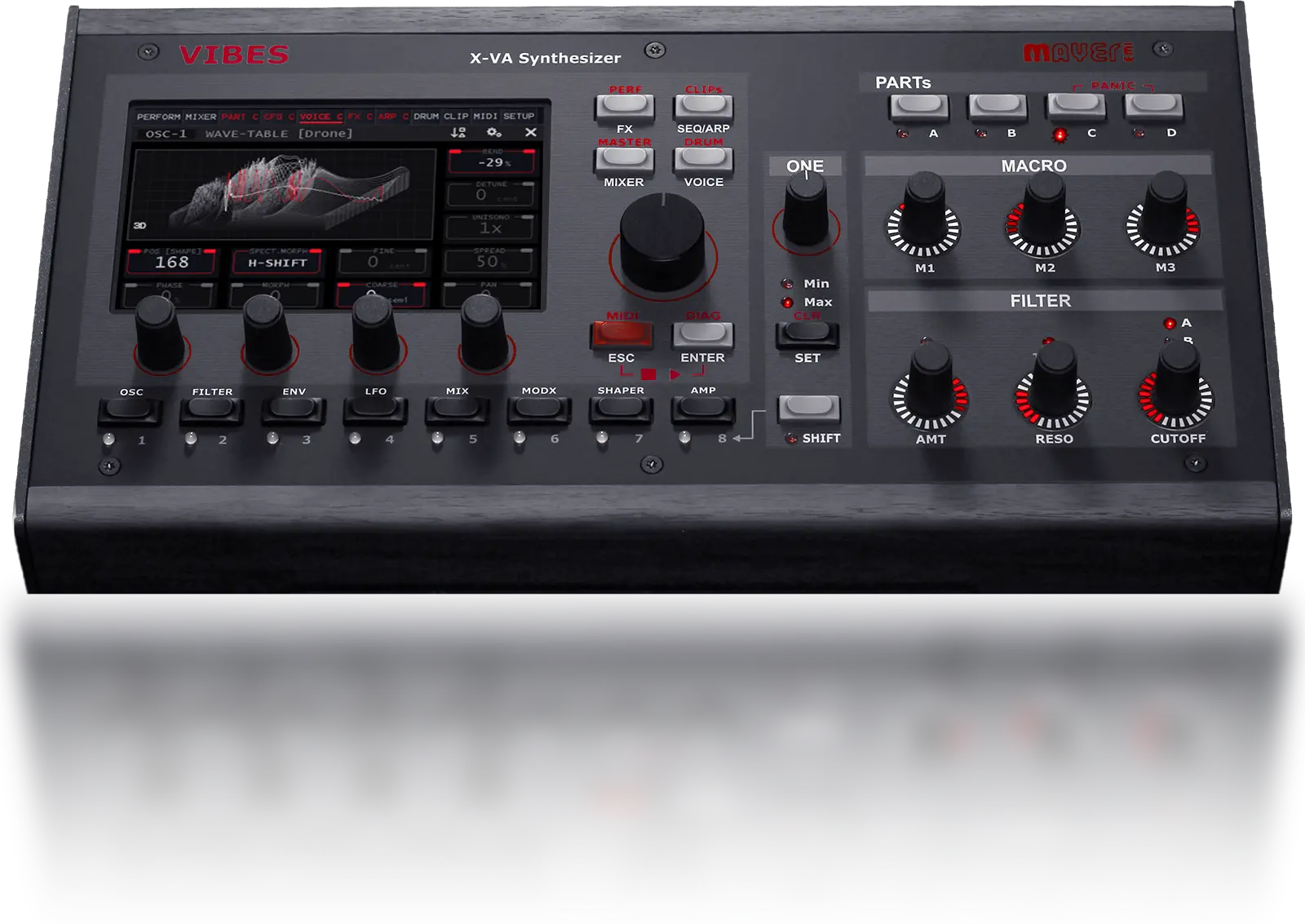
Your tables.
Under your fingers.
Start with a wavetable you already know. Import a Serum-compatible wavetable WAV file, choose it on OSC1 or OSC2 and build the patch on Vibes.
Scan through its frames. Change the harmonic shape with spectral morphing. Add movement with modulation, then use the filters and effects to give it a different place in your music.
You bring the wavetable. Vibes supplies the rest of the synth.
This imports the wavetable data, not a complete Serum preset or its effects and modulation settings.
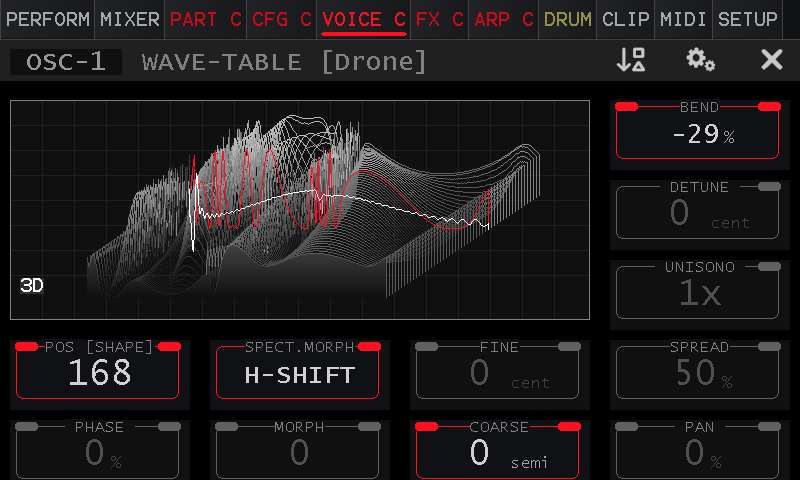
Wavetable mode on the Vibes touchscreen.
Give your sample library
a part in the patch.
A sampled attack. A string texture. An instrument mapped across the keyboard. OSC3, labelled “noise” on Vibes, can use a single-cycle wave, a single sample or an SFZ multisample as its source.
Blend it with OSC1 and OSC2, then shape the sound with filters, envelopes, modulation and effects. Your sample becomes material for synthesis.
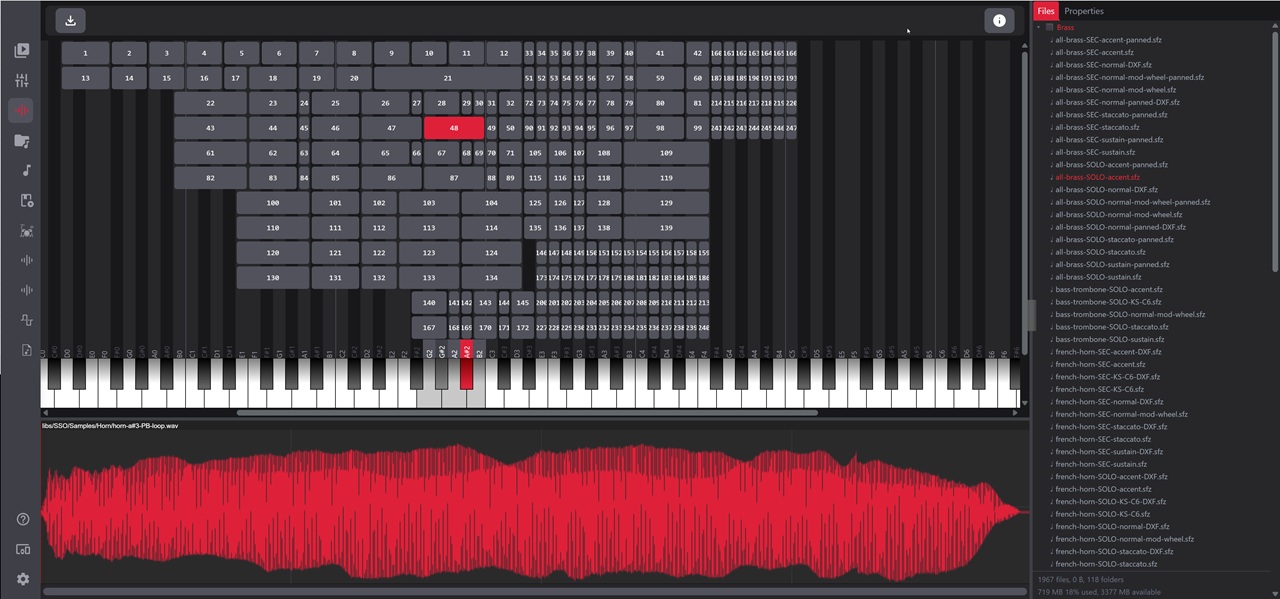
The SFZ import editor in VibesConnect. SFZ multisample import is available with Aurora 5.0.
Single-cycle waves
Use a short waveform as the starting point for an oscillator sound. Build its movement and shape inside Vibes.
Single samples
Add the character of a recording to your patch, from a sharp attack to a sustained texture.
SFZ multisamples
Bring mapped instruments with key zones, root notes and loop points. Supported SFZ data also includes velocity ranges and per-zone tuning, level and pan.
From your library
to your instrument.
VibesConnect runs in a web browser on your computer or tablet. Connect over LAN or Wi-Fi to work with the sounds on your Vibes, without installing a dedicated application or driver.
Use the browser for importing and organising. Return to the instrument to play.
1. Connect
Connect Vibes and your computer or tablet to the same network. Open the instrument’s web interface in your browser.
2. Bring in your files
Import your compatible wavetable WAV files or use the SFZ import editor for multisamples. Keep an SFZ instrument together with the sample files it references.
3. Make it a patch
Select your wavetable on OSC1 or OSC2, or your sample source on OSC3. Combine sources, set the filters and envelopes, and save the resulting sound.
Keep the character.
Change what happens next.
Importing is the starting point. These combinations are ideas for your own patches:
A sampled attack.
A wavetable sustain.
Use a short sample to define the first moment of a note. Let a slowly moving wavetable carry what follows.
Familiar strings.
Unfamiliar movement.
Layer an SFZ string texture with a wavetable. Try slow modulation and a restrained filter sweep to change how the two sources sit together.
Your source.
A full stereo voice.
The oscillators feed a stereo mixer and two stereo filter-and-amp paths. Shape the voice before adding delay or reverb.
Before you bring them in.
Does this load my whole Serum patch?
No. Serum-compatible wavetable import brings in the waveform data. Build the oscillator settings, filters, modulation and effects as a Vibes patch.
What do I need for SFZ multisamples?
Aurora 5.0 and an SFZ instrument with its referenced sample files. Supported mappings include key zones, velocity ranges and loop points. SFZ files vary in complexity; check the current documentation for the supported features of your library.
Do I need to keep the computer connected to play?
No. Once imported and saved on the instrument, the sounds are available on Vibes. The browser is there to help you manage and import them.
Can I try a wavetable collection first?
Yes. The free FM Legacy Collection is a starting point for exploring wavetable sounds. It is also compatible with supported software wavetable synths. Explore the free FM Legacy wavetables.
You already have the sounds.
Now put your hands on them.
Vibes MD850 brings wavetable synthesis, Algorithm and Resonator modes, samples and a full stereo signal path into one hardware instrument. Four synth parts give your sounds room to work together.