
Shape the sound.
Make it move.
Modulation and sound design on Vibes MD850.
A pad that changes while you hold the chord. A bass that bites harder when you play harder. A texture you can pull apart with one turn of a knob.
Connect the sources, choose what they change and bring the movement under your fingers.
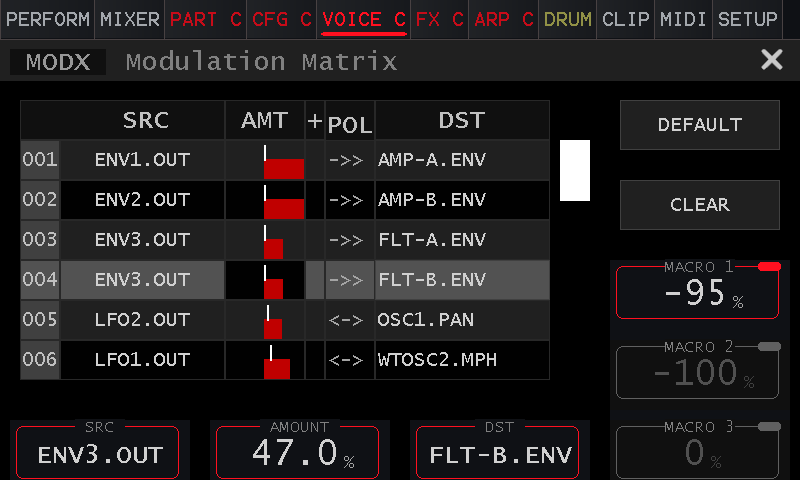
The modulation matrix on the instrument. Real routings, visible amounts and three macro controls. Tap any screenshot to enlarge it.
Choose what changes.
Decide how it changes.
The Vibes modulation matrix gives each part 24 modulation slots, with 26 sources and 56 destinations. Add a route, set its amount and hear what it brings to the patch. Start with one connection; add another when the sound needs it.
The source
Choose the movement: an LFO, an envelope, playing velocity, aftertouch or a macro. OSC1, OSC2 and the outputs of Filter A and Filter B are also modulation sources.
The amount
Keep a change subtle or make it the focus of the sound. Adjust the depth, invert its direction or change the polarity to suit the destination.
The destination
Send that movement to oscillator pitch, pan or spectral morphing; to filter cutoff, the shaper or amplifier; or to another LFO. Several sources can contribute to the same destination.
The sound itself can become a modulation source. Use oscillator or filter outputs when you want to explore more complex timbres, beyond a repeating LFO sweep.
Give a held note
somewhere to go.
Draw the movement.
Three LFOs take a patch from a slow drift to rhythmic repetition. Run freely, restart with a note or follow the tempo.
Choose a familiar wave or draw your own with 16 points on the touchscreen. Smooth the steps for a flowing contour, or keep their edges for a more abrupt rhythm.
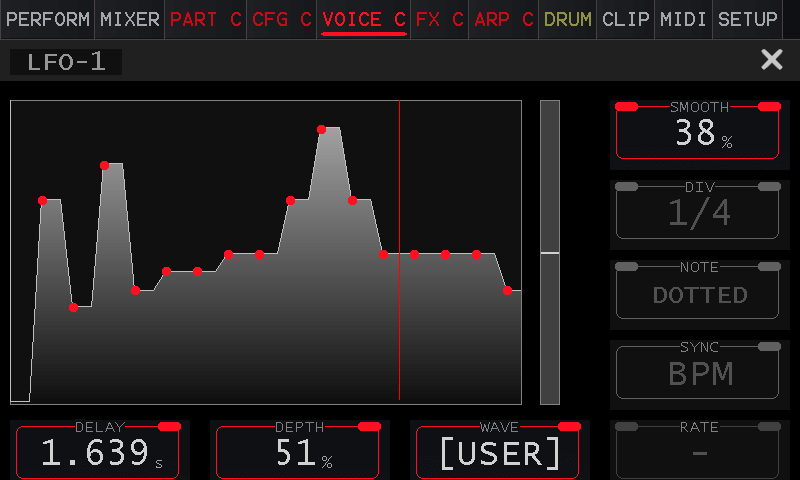
The user LFO: shape the contour, then adjust how smoothly it moves between points.
Shape each note.
Four envelopes shape the way a sound arrives, holds and falls away. Give the amplifier a sharp attack while the filter opens more slowly, or let a short envelope change the timbre at the start of each note.
ADSR, AR, AD and looping AD modes cover sustained shapes, short gestures and repeating movement. Velocity sensitivity brings your playing into the contour.
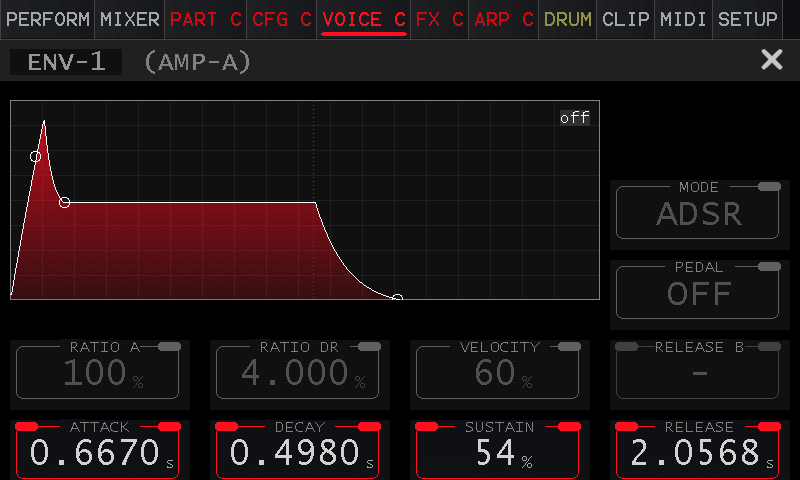
Envelope 1 shown in ADSR mode. The matrix determines where each envelope is used.
Change the tone.
Keep the detail.
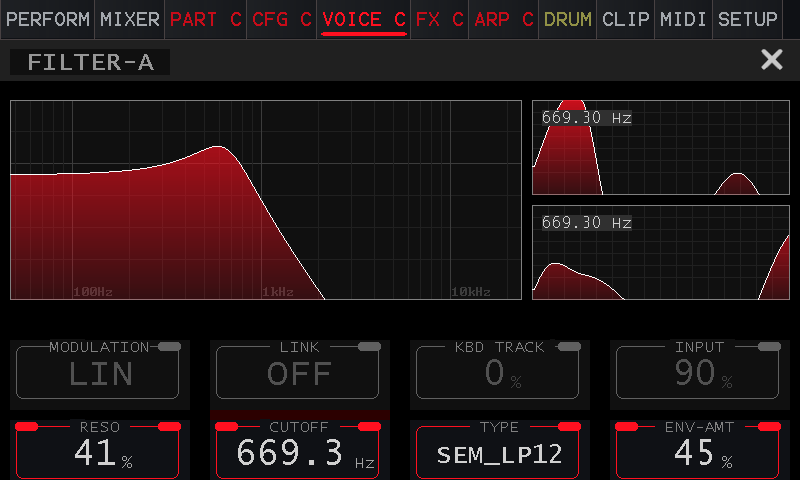
Filter A with separate left and right signal views.
Two stereo filter paths.
Route oscillator signals into Filter A and Filter B, then shape their tone and dynamics through the two paths. Keep one layer steady while the other opens, or combine a short attack with a slower body.
Each filter processes stereo. A and B are separate paths; they are not the left and right channels.
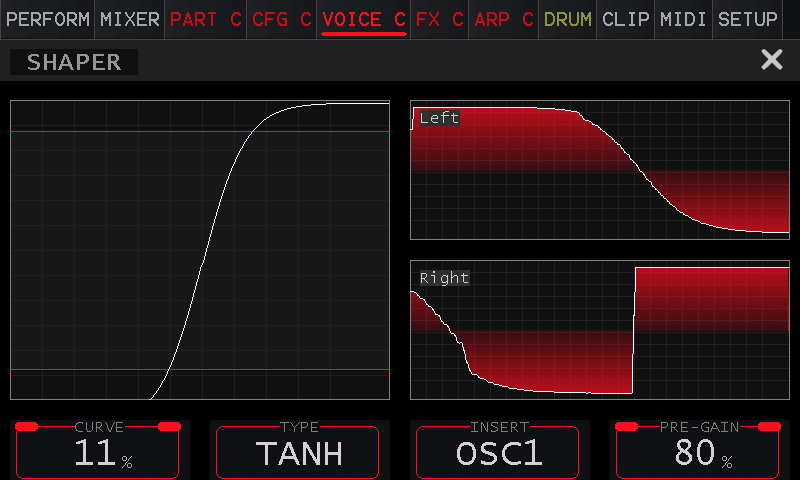
The shaper inserted after OSC1, with TANH selected.
Add an edge at the source.
The waveshaper reshapes the signal before it reaches the filters. Place it after OSC1, after OSC2 or at the oscillator mix feeding Filter A.
Explore soft saturation, hard clipping and bit crushing. Modulate the curve or pre-gain so the edge becomes part of the movement, rather than a fixed layer of distortion.
Make the patch.
Then play the changes.
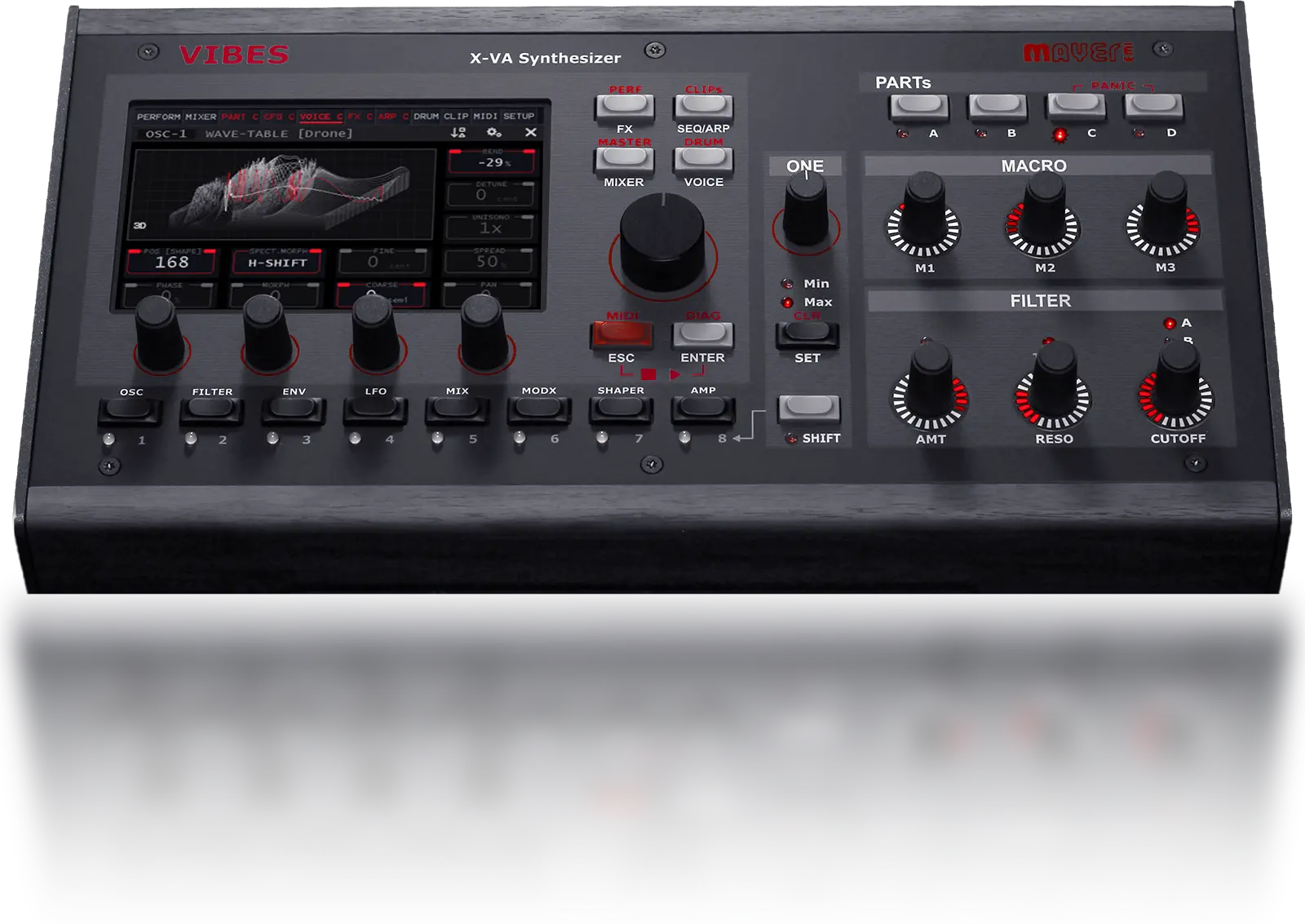
Three physical macro knobs give you a place to put the changes you want to reach while playing. Each is available as a source in the matrix for the selected part.
Map one macro to several destinations with different amounts. Let a turn open the filter while increasing wavetable movement, or use another knob to bring the shaper forward.
You decide what each gesture does. The next variation can be a movement of your hand.
Start with a sound
you want to make.
Three patch ideas to try on Vibes. These are starting points, not factory preset names or audio demonstrations.
Start with a wavetable on OSC1 and a slow amplifier envelope. Route LFO1 to OSC1.SHAPE for movement through the table, then use a second, slower LFO on FLT-A.MD for a gentle change in brightness.
Keep both amounts small at first. Listen to a held chord and adjust one route at a time until the two movements complement each other.
Start with an Algorithm oscillator and a low-pass filter. Give the amplifier a short contour, then route an envelope to FLT-A.ENV with a quick attack and a short decay.
Increase that envelope’s velocity sensitivity so harder notes open the filter more. If the sound needs extra grit, insert the shaper after the oscillator and raise its pre-gain gradually.
Draw a user LFO and route it to WTOSC1.MPH with a spectral morphing mode selected. Try a little smoothing so the changes flow into one another.
Use Macro 1 on FLT-A.MD and SHAPER.PGM, with a separate amount for each route. Adjust the ranges until turning the knob brings out the texture without overwhelming it.
Hardware screenshots show example patches; interface details can vary with firmware. For parameter names and setup, see the Vibes owner’s manual, especially the Shaper, LFO, Envelope and Modulation Matrix chapters.
Your next sound
starts with Vibes.
Choose the source. Shape its character. Build the movement around the way you play. Explore the instrument and hear what other musicians are making with it.