
Build the set.
Then play with it.
Four synth parts. Drums. A clip launcher. One Vibes MD850.
Start with a bassline. Give it chords and a beat. Save a variation, bring in a lead and decide where the music goes next. Build and play your arrangement on the instrument, without needing a laptop.
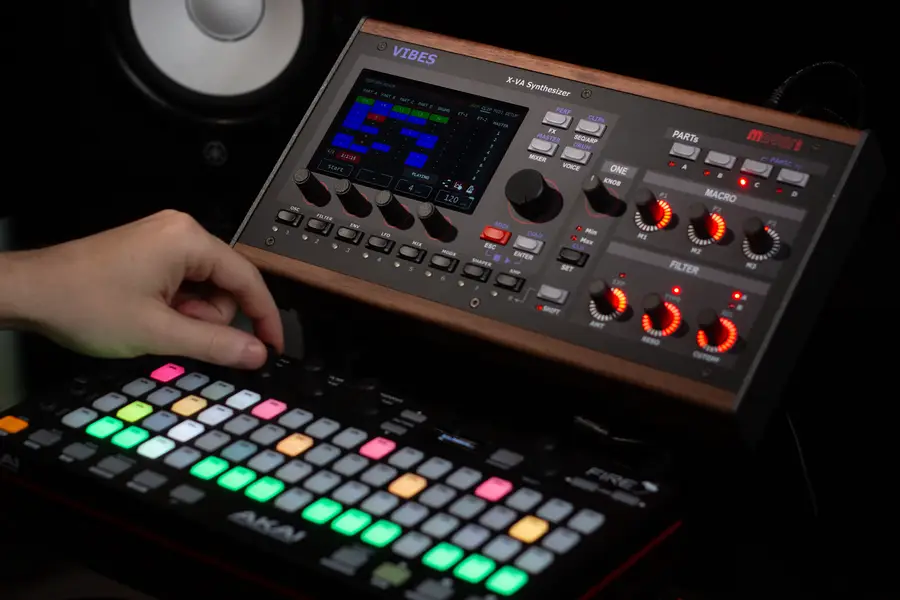
Hear Vibes in action.
Two performances. No talking. Hear Vibes with Rapid Flow and Bonedo Synthesizers, then explore how to build a performance of your own.
Progressive house with Rapid Flow.
A no-talking Vibes demo by Rapid Flow.
Vibes performed by Bonedo.
A no-talking performance demo from Bonedo Synthesizers.
Press play to load a YouTube video. Audio does not start automatically when you open this page.
Give each part
a place in the music.
Each of the four synth parts can carry a different sound. Keep a bass steady while a pad opens up, bring a melody forward or leave space for the drums.
Here is one way to divide an idea across the instrument. These are suggested musical roles, not fixed assignments or included preset names.
A · Bass
Start with a short phrase that holds the groove together. Leave room between the notes for the kick.
B · Chords
Add harmony with a pad or a tighter chord sound. Use fewer notes when the arrangement needs space.
C · Lead
Answer the bass with a melody. Keep a variation ready for the moment you want it to take the foreground.
D · Texture
Introduce a pulse, a sampled detail or a moving layer. Bring it in when the section needs a change.
The four synth parts share up to 24 stereo voices. Layering and held notes draw from that shared pool; it is not 24 voices per part.
Give the idea a pulse.
Build the beat inside Vibes.
The 14-instrument drum engine gives your synth parts a rhythm to play against. Load your own one-shots, program a pattern and adjust individual drums in the mixer.
Try a sparse kick and hi-hat pattern first. Add a snare variation for the next section instead of filling every step from the start.
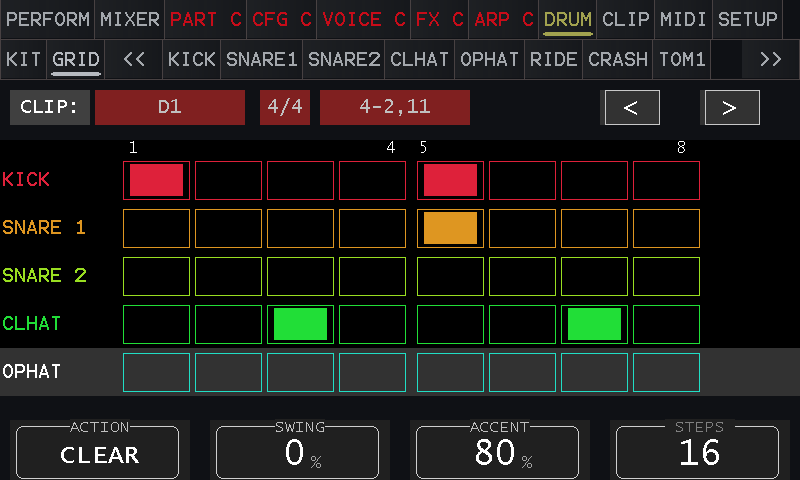
The drum step sequencer on the instrument. Tap a screenshot to enlarge it.
Let the notes do more.
Use the arpeggiator and step-sequencing controls to turn a held chord or a short phrase into movement. Work on the rhythm and note pattern, then hear how it fits against the drums.
A repeating part can carry the groove while you play another sound or shape the filter.
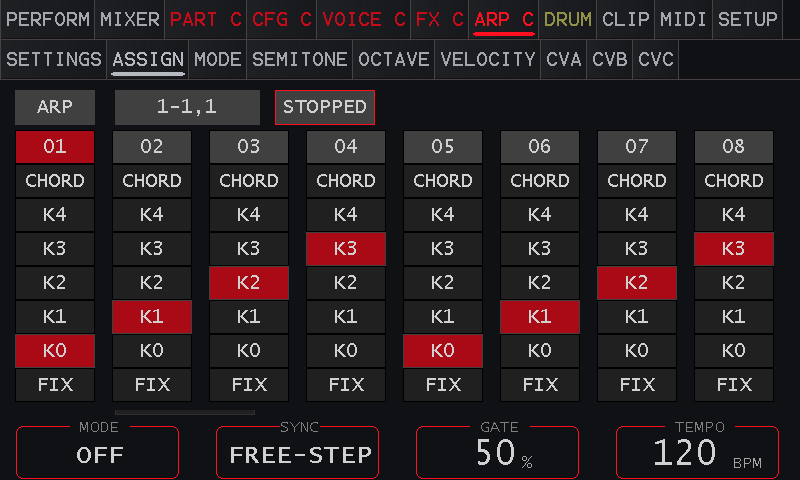
Arpeggiator note assignment on the Vibes touchscreen.
Keep the phrase.
Change the next move.
Clips hold the musical phrases that make up your performance. Prepare variations and launch them individually or as a row to change the arrangement.
The launcher has tracks for four synth parts, drums and two external MIDI tracks, with up to eight clips per track. Use the touchscreen to see the phrases you have ready.
One clip can be a stripped-back opening. Another can add the chords or change the lead. You choose when the arrangement moves on.
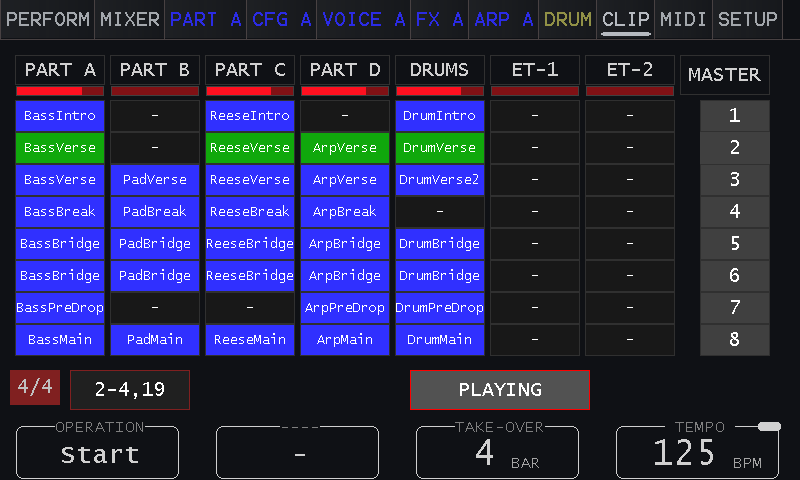
The onboard Clip Launcher. Clip names and sounds shown belong to this example performance.
A few variations.
Several places to take them.
Try this as a starting arrangement, then change it to suit your music.
Start with space.
Let the bass and a simple drum pattern establish the pulse. Keep the other parts out until they have something to add.
Bring the harmony in.
Launch the chord phrase and introduce a lead or texture. Open the filter gradually rather than changing every part at once.
Give the return a reason.
Thin out the arrangement for a break, then return with a different clip or drum variation. Keep the controls you want to play within reach.
The pattern repeats.
Your hands keep it moving.
Reach for the filter or a macro while the phrases play. Assign the changes you want to perform, then use the physical controls to shape a build, soften a transition or push a sound forward.
Balance the parts and drums in the mixer and give each sound its own space with effects. The arrangement and the sounds stay inside the same instrument.
Prepare on a bigger screen.
When you want more room for notes, velocity and clip settings, open VibesConnect in your browser. Prepare the performance there, then return to the instrument to play.
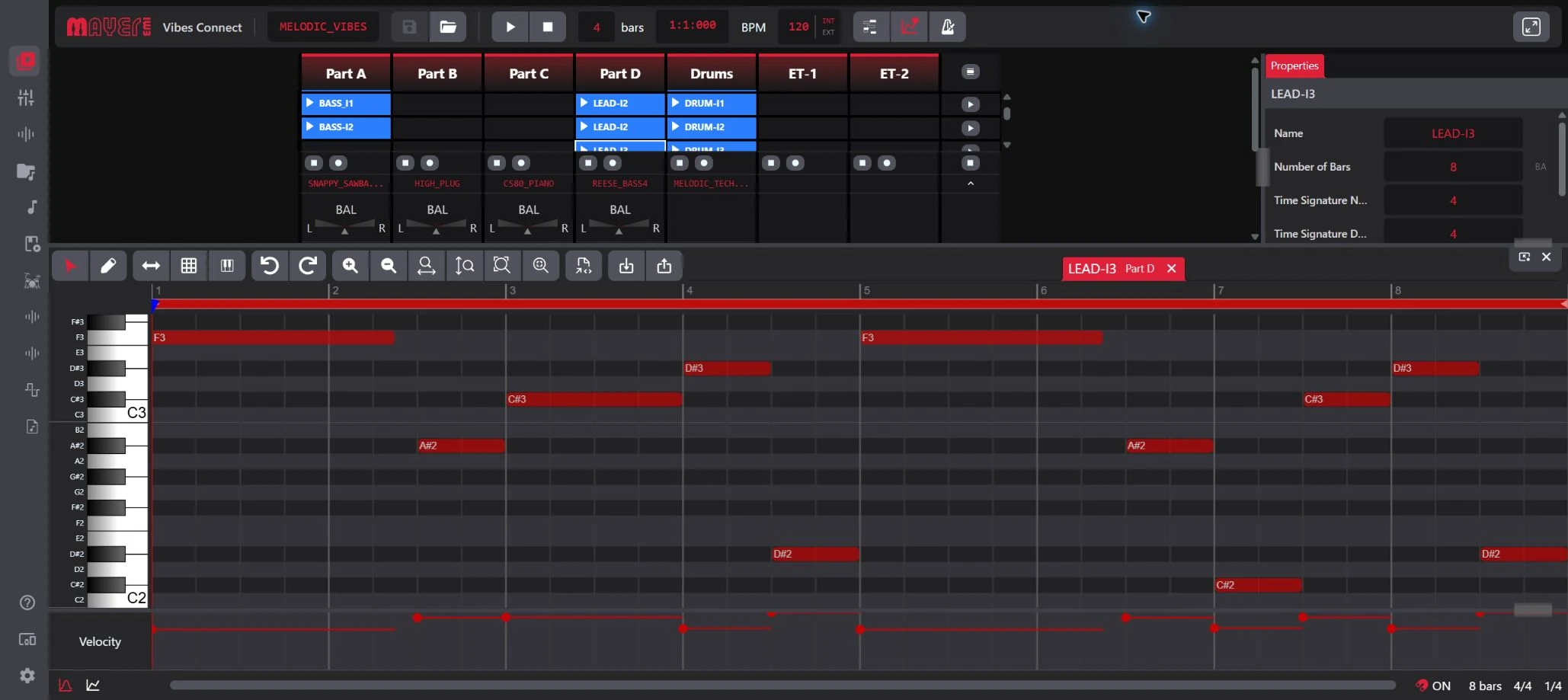
VibesConnect screenshot from XVAOS 5.0 beta. The interface may vary with your firmware.
Keep it compact.
Or bring your other gear.
Use the onboard touchscreen and controls, add a MIDI keyboard for live playing, or connect a supported controller for a different way to work with patterns.
A computer is optional for the performance. VibesConnect is there when you want a larger editing workspace.
Already have an Akai Fire?
There is a dedicated Vibes + Akai Fire setup page. Treat it as an optional controller workflow: the Fire is not required to use the Vibes clip launcher or drum sequencer.
Check your setup before you connect.
Use the current manual for supported controllers, assignments and MIDI routing. The right setup depends on what you want to play and control.
A sound is the beginning.
Build the music around it.
Four synth parts, drums, clips and hands-on control. Explore Vibes MD850, listen to more recordings and see how it fits the way you make music.