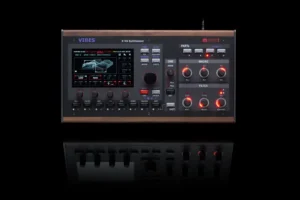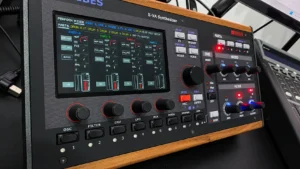

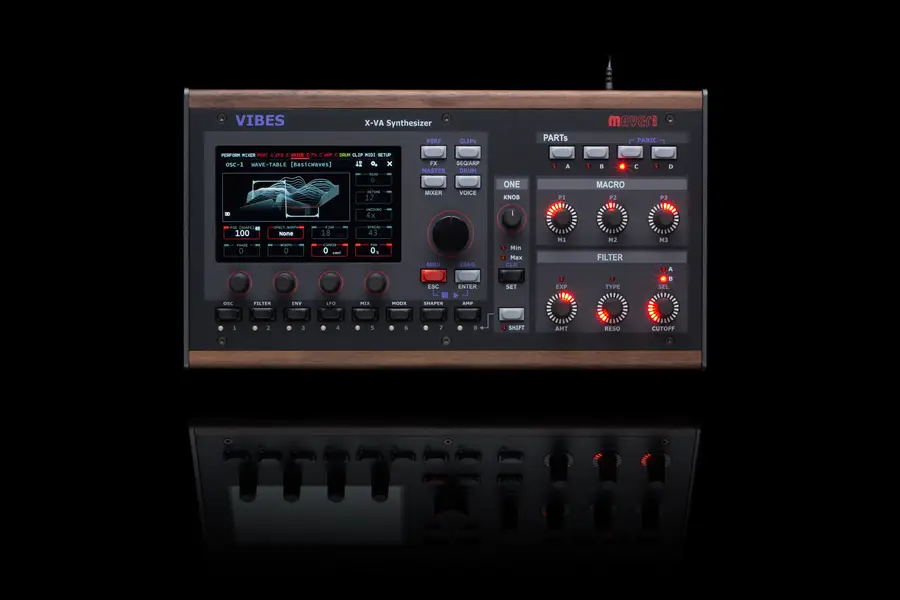
We get asked a lot about how the MD850 Vibes actually works under the hood: what the hardware is, how the audio pipeline is built, and where every millisecond of latency between a MIDI note and the sound coming out of the jack actually goes. So we thought it was worth opening up the engine room properly. At the end, we’ll back it up with an oscilloscope trace showing the real thing happening on real hardware.
The short version: the MD850 Vibes latency from a MIDI note-on at the DIN input to sound at the audio output is 8 ms in the worst case. On the oscilloscope we measured 5.38 ms and 7.2 ms. That’s not something a recent firmware update changed: earlier firmware versions measure the same. The 70 ms figure you may have seen online does not come from the instrument itself.
At the core of the MD850 Vibes sits a 4-core ARM processor clocked at 1.4 GHz. It’s cooled entirely passively: no fan, no moving parts, no fan noise bleeding into your recordings. That’s only possible because the workload is deliberately kept light enough, and distributed carefully enough, that the chip never needs to throttle or spin up active cooling to stay within its thermal envelope.
On top of that hardware sits a custom-built embedded Linux system, stripped down and tuned for two things: booting in under 8 seconds, and running the audio engine in hard real time. Both of those are unusual for a general-purpose Linux system. A typical desktop distribution boots slower and has no real-time guarantees at all. Ours is built specifically not to be that.
Rather than letting a generic scheduler juggle everything, each of the four cores has a fixed, dedicated job:
This separation matters more than it might seem. It means that the parts of the system that are the least deterministic (Wi-Fi traffic, UI redraws, someone twisting a knob) physically cannot steal CPU time from the audio path, because they’re not sharing a core with it. This is one of the main tools we use to keep timing predictable instead of just “usually fast.”
Digital audio isn’t calculated one sample at a time, that would be far too inefficient. Instead, the engine computes audio in blocks, or buffers. The MD850 Vibes uses a buffer size of 128 samples at a sample rate of 48 kHz, in full stereo, at 32-bit float resolution.
What that means in practice: the engine calculates 128 samples of audio for the left channel and 128 for the right channel, all at once, before handing that block off to the output. At 48,000 samples per second, 128 samples take:
128 ÷ 48,000 = 0.002667 seconds ≈ 2.67 ms
So every 2.67 ms, a new buffer of audio needs to be ready. That number is the fundamental “tick” of the whole system. Everything else is expressed in multiples of it.
The 32-bit float resolution means all of the internal math (mixing 24 voices, running effects, applying the sequencer) happens with far more headroom and precision than 16 or 24-bit integer formats, so rounding errors from repeated processing stay far below audible levels. Only at the very end of the signal path is the 32-bit float stream dithered and converted to 24-bit integer, matching the resolution of the DAC.
Everything below describes what happens once a note-on message has arrived at the instrument. But depending on how you connect, getting the message there in the first place isn’t instantaneous either, and the two paths behave quite differently.
DIN MIDI is a continuous serial connection running at 31,250 bit/s (MIDI 1.0 specification). A 3-byte note-on message takes roughly 1 ms to physically transmit over the wire. It’s a direct, dedicated link: the moment the message is sent, it’s on its way, with no intermediary asking permission.
USB MIDI works differently. On the MD850 Vibes, the three USB-A ports are USB hosts: they’re for plugging in class-compliant MIDI keyboards and controllers, not for connecting the MD850 to a computer. USB is a polled protocol. A connected keyboard doesn’t push data to the MD850 the instant it’s ready; it waits until the MD850, as the host, asks. The MD850 polls connected USB MIDI devices at 1 ms intervals, so a message can sit ready at the keyboard’s USB endpoint for up to a full 1 ms before it’s collected. That’s an additional, variable delay that simply doesn’t exist on a direct serial connection.
This is one of the areas where our Linux build’s real-time tuning matters as much for I/O as for the audio engine itself: the USB stack and interrupt handling are configured to service the MIDI endpoint promptly and consistently, keeping USB MIDI latency close to what you’d see over DIN. DIN MIDI remains the most deterministic route by nature of the connection itself. It’s also the route from a computer: a DAW always reaches the MD850 over DIN MIDI, usually through a MIDI interface on the computer side.
Here’s the part that tends to get misquoted online, so let’s walk through it carefully.
A MIDI note-on message can arrive from the DIN MIDI input at any moment. It’s asynchronous, it doesn’t wait politely for a buffer boundary. But the audio engine can only act at the start of a buffer cycle, because that’s when it reads its inputs and starts calculating the next block.
That gives us two things to add together:
Add the worst case of both together, a note landing just after a cycle starts plus the two cycles of processing, and you get:
3 × 2.67 ms ≈ 8 ms
That’s the worst-case latency of the architecture, from a MIDI note-on at the DIN input to the corresponding audio sample leaving the output. Depending on exactly when in the cycle the note arrives, the real latency sits anywhere between roughly 2 and 3 buffer cycles, so between about 5.3 and 8 ms. Three cycles is the upper bound the whole system is designed around.
This is the detail that a lot of comparisons on the internet miss: the interesting number for a real-time instrument isn’t the average latency, it’s the bound. A system that’s usually fast but occasionally spikes to 20 ms when something else on the CPU gets busy will feel worse to play than a system with a slightly higher but rock-solid latency, because the spikes are what your fingers actually notice as “off.”
Because the MD850 Vibes runs a real-time-scheduled audio path on cores that are never shared with Wi-Fi, the display, or the UI, there’s no scheduler jitter, no garbage collection pause, and no background process that can occasionally steal a cycle. The 3 × 2.67 ms figure isn’t a typical-case average pulled from a spec sheet. It’s the ceiling derived from the architecture, and it holds under load, not just at idle.
The latency doesn’t depend on the patch, the number of voices or how many parts play at once, because the buffer size is fixed. A patch with a slow attack will of course take longer to swell in, but the engine’s timing stays the same.
What does 8 ms feel like? Sound travels about 34 cm per millisecond, so 8 ms is roughly the delay you get standing 2.7 m away from your amp. How much you notice that depends on how you play and how you monitor: some players, especially on headphones, pick up small delays sooner than others. It’s in the normal range for a digital instrument, and a long way from 70 ms.
Numbers on a page are one thing, here’s what it looks like on an oscilloscope. Channel 1 (yellow) is triggered on the DIN MIDI note-on message arriving at the input; channel 2 (teal) is the resulting audio signal at the output. The time delta between the trigger edge and the first audio transition is the real, measured, end-to-end latency: no software timers, no rounding, just electrical signals on two channels of the same scope.
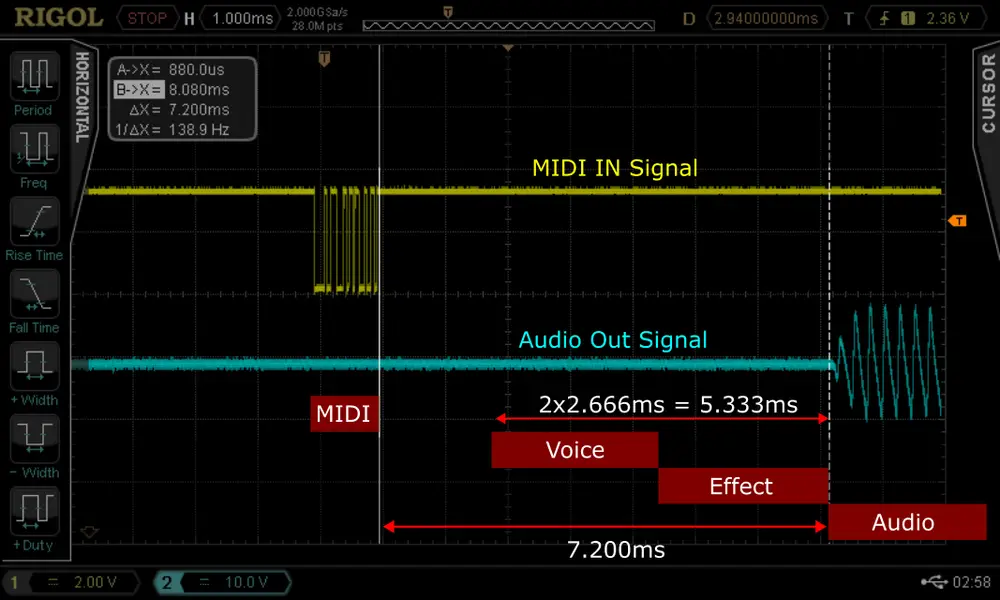
In this capture, the note lands early in its buffer cycle, so voice and effect processing complete and audio appears after about 5.38 ms, toward the faster end of the 2 to 3 cycle window described above.
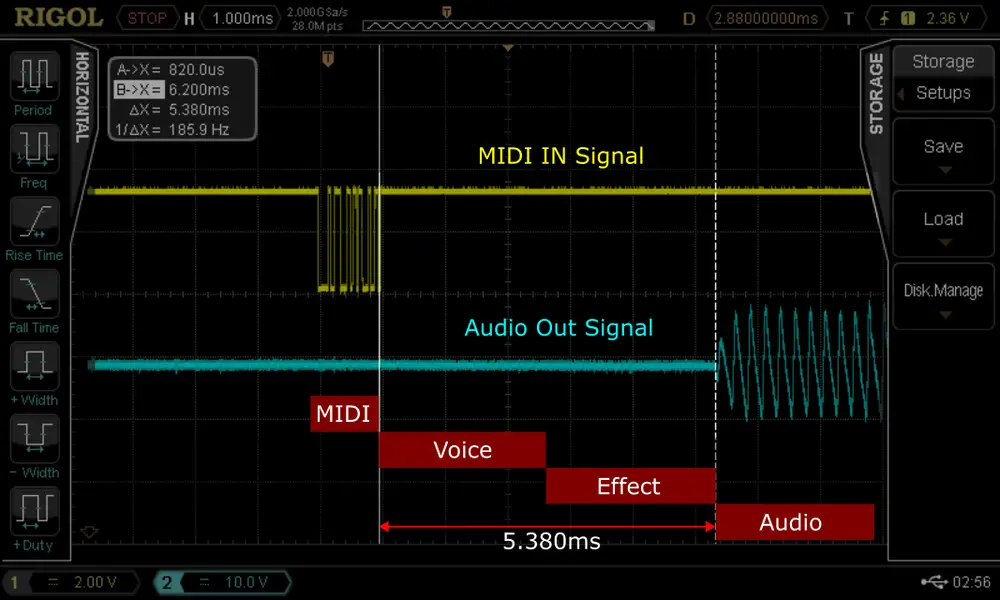
In this second capture, the note lands later in its buffer cycle, closer to the worst-case alignment. The two processing cycles (2 × 2.67 ms = 5.33 ms) are clearly visible between the MIDI event and the point where the engine’s output is ready, with the full measured delay to audible output at 7.2 ms, inside the 3 × 2.67 ms ≈ 8 ms bound derived above.
From a MIDI note-on at the DIN input to sound at the audio output, the MD850 Vibes takes two to three buffer cycles of 2.67 ms each: about 5.3 to 8 ms. Oscilloscope captures show 5.38 ms and 7.2 ms.
Not from the instrument. Measured directly at its MIDI input and audio output, the MD850 Vibes stays within 8 ms, on the current firmware and on earlier versions alike. Figures like 70 ms typically come from DAW record-back tests, which measure the whole chain: the DAW’s output buffer, the MIDI interface, the audio interface’s input buffer and recording compensation. Without those settings, such a number says more about the setup than about the instrument.
8 ms is about the delay of standing 2.7 m from your amp. Whether you notice it depends on your playing and monitoring, but it’s in the normal range for a digital instrument, and it stays the same under load because Wi-Fi, the display and the controls run on their own CPU core.
The 8 ms figure covers the instrument itself, from its MIDI input to its audio output. A DAW adds its own buffering on both sides: an output buffer before the MIDI even leaves the computer, and an input buffer before any returning audio is heard again. A common source of extra delay shows up when a clip or pattern starts playing: if the project isn’t set up carefully, playback can fire off a burst of setup messages (program changes, controller resets and similar housekeeping) right before the actual notes. Because DIN MIDI is a single serial line, those messages go out one after another, and the real note-on ends up queued behind them. That’s a MIDI routing and project-configuration issue upstream of the instrument, not a change in the instrument’s own 8 ms bound.
Clock messages are a single byte each and are normally interleaved between other MIDI messages, so they’re largely unaffected by the congestion described above. The clip launcher and drum computer trigger directly on each incoming clock message; the only variation is up to one buffer cycle (2.67 ms), because the engine picks up events at buffer boundaries. The tempo itself is calculated from an average over several clock messages, so tempo-synced functions such as a beat-synced delay don’t wobble when the spacing of incoming clock messages varies slightly.